
Present TIME
Present TIME 2 — completely rebuilt for iPad and Mac. Build the timeline once—roadmaps, board updates, launches, change programmes—then drop a clean PNG or PDF into your deck. No more fighting drawing tools in slides.



What’s new in version 2
Present TIME has been rebuilt end-to-end—native on iPad and Mac, freemium Free + Pro, and export that is ready for real stakeholder packs.
- True Mac app alongside iPad, with iCloud sync between your devices.
- Free forever to learn the workflow; Present TIME Pro when you need unlimited editing and clean export.
- PDF Studio for multi-page packs—headers, footers, cover page, logo, and branded watermarks.
- Plan Assistant (Apple Intelligence where available) to draft or adjust plans in plain language; Shift Plan to move a whole schedule cleanly.
Why Present TIME
Built for consultants, project managers, and anyone who presents plans—so the chart looks finished in the meeting, not half-drawn in PowerPoint.
- Stop redrawing the plan every week. Keep one living timeline and re-export when dates move—PNG for slides, PDF for packs and documents.
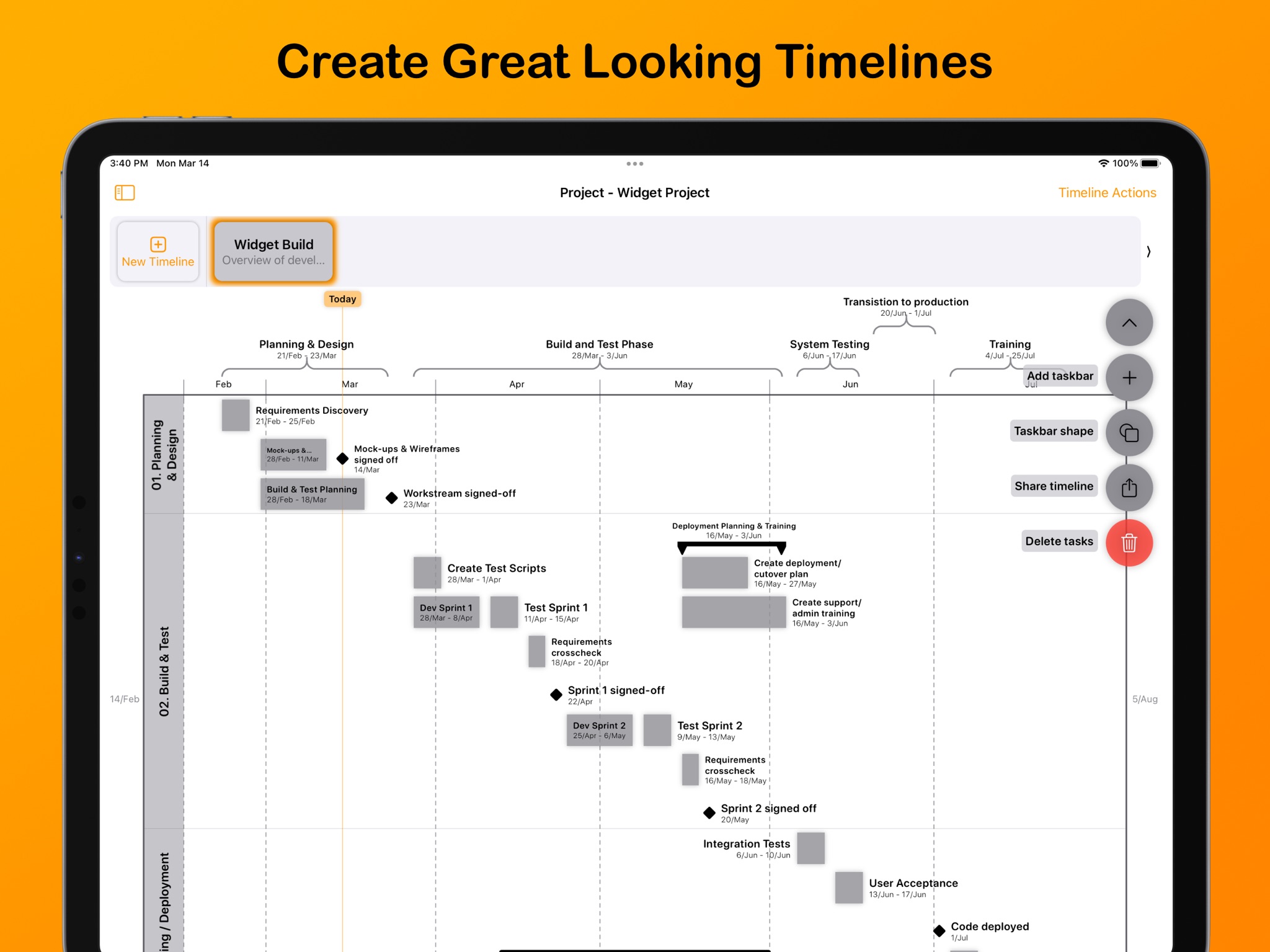
- Show the story stakeholders actually need. Workstreams, milestones, summaries, and callouts on a proper horizontal chart—not boxes and lines you have to babysit.
- Respect how real projects run. Weeks, months, quarters and more, plus working-day calendars and holidays so bar lengths match the plan you committed to.
- Look deliberate under scrutiny. Themes and layout controls so board and client charts look designed, not improvised.
- Start from a shape, not a blank page. Sample Templates (and your own, with Pro) for launches, change programmes, and consulting-style engagements.
- Work where you already work. Edit on iPad or Mac and keep projects in sync with iCloud.
Plans
Free
Free to start
- Use Present TIME with limits as shown in the App Store and in-app
- Built-in themes and selected Sample Templates
- Export with a “Made with Present TIME” watermark to preview the workflow
- In-app FAQ and Help & Tips
Present TIME Pro
Monthly, annual and lifetime
- Unlimited projects, timelines, and task bars
- Clean PNG & PDF export (no Free watermark)
- PDF Studio — multi-page packs, headers/footers, cover page, logo, and Pro watermarks
- CSV import and the full Sample Template catalog (plus save your own)
- Custom themes
- Plan Assistant (Apple Intelligence where available)
- Shift Plan
- Custom chart attribution for branded PDFs
- Annual subscription includes a 1-week free trial, as offered in the App Store